
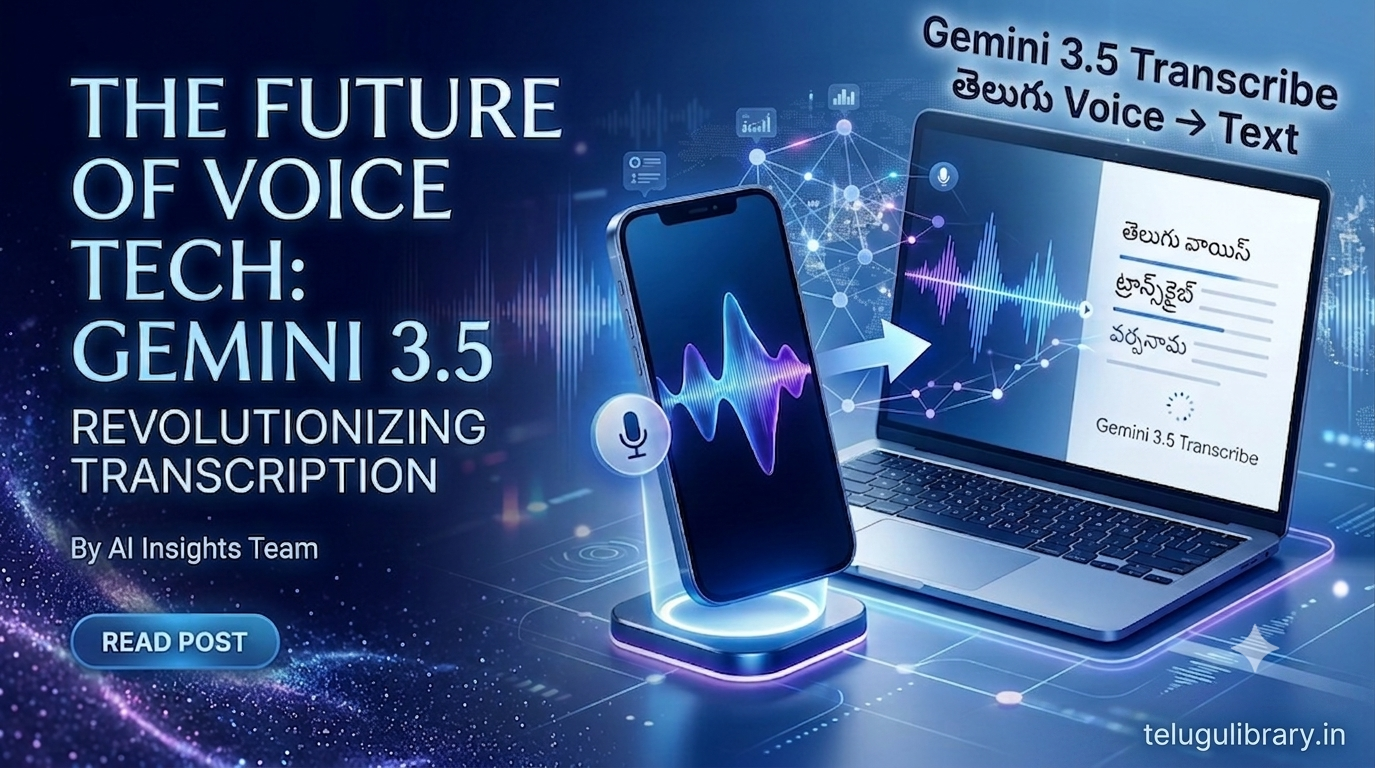
Gemini 3.5 Transcribe అంటే ఏమిటి
Gemini 3.5 Transcribe అనేది Google రూపొందించిన advanced speech-to-text AI model.
సాధారణంగా మనం మాట్లాడిన మాటలను text గా మార్చడానికి speech recognition technology ఉపయోగిస్తారు. Gemini 3.5 Transcribe ఈ పని చేయడమే కాకుండా context, language switching, speaker changes మరియు specialized vocabulary వంటి అంశాలను కూడా అర్థం చేసుకునేలా రూపొందించబడింది.
ఉదాహరణకు మీరు ఒక Telugu voice recording కలిగి ఉంటే, దానిని text రూపంలోకి మార్చడానికి ఈ model ఉపయోగించవచ్చు.
ఇది:
Voice / Audio → AI Transcription → Text గా పనిచేస్తుంది.
Gemini 3.5 Transcribe ముఖ్యమైన Features
Gemini 3.5 Transcribeలో సాధారణ speech-to-text కంటే ఎక్కువ advanced capabilities ఉన్నాయి.
1. 85కి పైగా Languages Support
Google documentation ప్రకారం Gemini 3.5 Transcribe 85కి పైగా languages మరియు locales ను automatically detect చేయగలదు.
ఇందులో Telugu (te-IN) కూడా supported languageగా ఉంది.
అంటే Telugu మాట్లాడే users మరియు multilingual contentపై పనిచేసే creatorsకి ఇది ఉపయోగకరంగా ఉంటుంది.
2. Telugu Voice ని Text గా మార్చడం
మీరు Teluguలో మాట్లాడిన audioని transcription workflowలో textగా మార్చవచ్చు.
ఉదాహరణకు:
“ఈరోజు మనం పిల్లలకు మంచి అలవాట్ల గురించి తెలుసుకుందాం”
అనే voice recording ఉంటే, speech-to-text system దానిని text రూపంలోకి మార్చగలదు.
Teluguతో పాటు English వంటి ఇతర languages మధ్య మాట్లాడే code-switching ను కూడా model handle చేయగలదని Google తెలిపింది.
3. Multiple Speakers ని గుర్తించడం
ఒక recordingలో ఇద్దరు లేదా అంతకంటే ఎక్కువ మంది మాట్లాడుతున్నప్పుడు ఎవరు ఎప్పుడు మాట్లాడారో గుర్తించడానికి speaker diarization feature ఉపయోగపడుతుంది.
ఉదాహరణకు:
Speaker 1: ఈ project ఎప్పుడు complete అవుతుంది?
Speaker 2: వచ్చే వారం complete చేస్తాం.
ఇలా speakers ను వేరు చేయడానికి transcription system సహాయపడుతుంది.
Google documentation ప్రకారం audio-file transcriptionలో speaker diarization support ఉంది. 3 లేదా అంతకంటే ఎక్కువ speakers కోసం attribution experimentalగా పేర్కొనబడింది.
4. Word-Level Timestamps
Gemini 3.5 Transcribe ప్రతి recognized wordకి timing information ఇవ్వగలదు.
దీనిని word-level timestamps అంటారు.
ఇది ముఖ్యంగా:
- Video subtitles
- YouTube videos
- Interviews
- Podcasts
- Meeting recordings
- Audio analysis
వంటి పనులకు ఉపయోగపడుతుంది.
అయితే Google documentation ప్రకారం word-level timestamps enable చేసినప్పుడు transcription accuracy కొంత తగ్గే అవకాశం ఉంది.
5. Smart Transcription
Gemini 3.5 Transcribeలో Smart transcription అనే ప్రత్యేక mode ఉంది.
మనము మాట్లాడేటప్పుడు:
“um”, “uh”, repetitions, false starts వంటి మాటలు సహజంగా వస్తుంటాయి.
Smart transcription ఈ conversational fillers మరియు unnecessary repetitions ను తొలగించి చదవడానికి సులభమైన textగా మార్చగలదు. అలాగే punctuation, paragraphs, numbered lists మరియు formattingను కూడా intelligentగా apply చేయగలదు.
ఉదాహరణకు మనం ఇలా మాట్లాడవచ్చు:
“Um, first item review budget, second item finalize timeline, third item send recap.”
Smart transcription దాన్ని structured listగా మార్చగలదు:
- Review budget
- Finalize timeline
- Send recap
ఇది raw transcription కంటే చాలా readableగా ఉంటుంది.
ChatGPT Prompts
6. Custom Vocabulary
కొన్ని సందర్భాల్లో సాధారణ speech recognition systems technical terms లేదా uncommon namesను తప్పుగా గుర్తించే అవకాశం ఉంటుంది.
Gemini 3.5 Transcribeలో custom vocabulary feature ఉంది.
దీని ద్వారా technical terms, acronyms, brand names మరియు proper nouns వంటి ప్రత్యేక పదాలను modelకి ముందుగానే సూచించవచ్చు.
Google documentation ప్రకారం custom vocabularyలో గరిష్టంగా 1,000 terms వరకు pass చేయవచ్చు. అయితే సాధారణంగా 100 terms వరకు ఉపయోగించినప్పుడు మంచి results వస్తాయని Google సూచిస్తోంది.
ఇది:
- Technical lectures
- Business meetings
- Medical terminology
- Software discussions
- Educational content
వంటి specialized audio కోసం ఉపయోగకరంగా ఉంటుంది.
Gemini 3.5 Transcribe Telugu Users కి ఎలా ఉపయోగపడుతుంది
Telugu content creators కోసం ఈ technologyకి అనేక practical uses ఉన్నాయి.
YouTube Creators
మీరు ఒక videoలో మాట్లాడిన contentను textగా మార్చి:
- YouTube description
- Blog article
- Subtitle content
- Social media post
- Short video script
గా ఉపయోగించవచ్చు.
Telugu Bloggers
మీరు typing చేయకుండా voiceలో article ideas చెప్పి transcription ద్వారా textగా మార్చుకోవచ్చు.
తర్వాత ఆ textను edit చేసి blog postగా తయారు చేసుకోవచ్చు.
Students
Students lecture లేదా study discussion recordingsను textగా మార్చి notes తయారు చేసుకోవచ్చు.
అయితే classroom లేదా lecture recordingsను transcribe చేసే ముందు సంబంధిత వ్యక్తుల permission మరియు privacy rulesను గౌరవించడం మంచిది.
Interviews
Journalists, bloggers మరియు content creators interviewsను textగా మార్చుకోవడానికి transcription technologyని ఉపయోగించవచ్చు.
Multiple speakers ఉన్న recordingsలో speaker identification కూడా ఉపయోగపడుతుంది.
Podcasts
Podcast audioను transcriptగా మార్చి websiteలో additional contentగా ఉపయోగించవచ్చు.
Telugu Content Creation
Teluguలో మాట్లాడి:
Voice → Transcript → Edit → Blog / Script / Social Media Content
అనే workflowను రూపొందించుకోవచ్చు.
Gemini 3.5 Transcribe ఎలా పనిచేస్తుంది
సాధారణంగా transcription workflow ఇలా ఉంటుంది:
Step 1: Audio recordingను సిద్ధం చేయాలి.
Step 2: Audioను supported Gemini transcription workflowలోకి పంపాలి.
Step 3: Gemini 3.5 Transcribe speechను process చేస్తుంది.
Step 4: Languageను గుర్తించి spoken wordsను textగా మార్చుతుంది.
Step 5: అవసరాన్ని బట్టి smart formatting, speaker identification లేదా timestamps వంటి features ఉపయోగించవచ్చు.
Google developer documentation ప్రకారం Gemini APIలో gemini-3.5-transcribe modelను ఉపయోగించి audio filesను textగా transcribe చేయవచ్చు.
Gemini 3.5 Transcribe ఎక్కడ ఉపయోగించవచ్చు
Google ప్రకారం Gemini 3.5 Transcribe ప్రస్తుతం developer workflowsలో Gemini API, Google AI Studio మరియు Google Antigravity ద్వారా public previewలో అందుబాటులో ఉంది. Enterprise users కోసం Gemini Enterprise Agent Platformలో కూడా availability ఉంది.
Consumer availability మాత్రం product మరియు region ఆధారంగా మారుతుంది.
Google ప్రకారం Gemini app on macOSలో ఇది Englishలో అందుబాటులో ఉంది, Androidలో Rambler feature select countries and languagesలో అందుబాటులో ఉంది, మరియు Chrome support future availabilityగా పేర్కొనబడింది.
అందువల్ల “ప్రతి Telugu user ప్రస్తుతం Gemini appలో నేరుగా Gemini 3.5 Transcribeను ఉపయోగించవచ్చు” అని చెప్పడం సరైనది కాదు.
Telugu language support model levelలో ఉంది, కానీ user-facing access ఏ productలో ఉందో availabilityను బట్టి మారుతుంది.
Gemini 3.5 Transcribe Audio Limit ఎంత
Google developer documentation ప్రకారం pre-recorded audio transcription కోసం ఒక requestలో audio limit 1 hour వరకు ఉంటుంది.
అయితే speaker diarization లేదా word-level timestamps వంటి features enable చేసినప్పుడు audio processing limit 30 minutes వరకు ఉంటుంది.
Real-time transcription కోసం ప్రత్యేక gemini-3.5-transcribe-live modelను ఉపయోగించవచ్చు. Live transcription sessionsకు documentation ప్రకారం 10 minutes వరకు session duration support ఉంది.
Gemini 3.5 Transcribe Freeనా
Gemini 3.5 Transcribeను “ఎప్పటికీ పూర్తిగా free transcription tool” అని చెప్పడం సరైంది కాదు.
Developers దీన్ని Gemini API మరియు Google AI Studio ద్వారా access చేయవచ్చు. API usageకి pricing మరియు usage limits వర్తించవచ్చు.
అందువల్ల ఉపయోగించే ముందు Google AI for Developers pricing మరియు current availabilityను check చేయడం మంచిది.
Gemini 3.5 Transcribe vs సాధారణ Speech-to-Text
సాధారణ speech-to-text systems ప్రధానంగా మాట్లాడిన మాటలను textగా మార్చడంపై దృష్టి పెడతాయి.
Gemini 3.5 Transcribe మాత్రం transcriptionతో పాటు:
- Language detection
- Multilingual code-switching
- Speaker identification
- Word-level timestamps
- Smart formatting
- Filler-word removal
- Custom vocabulary
వంటి advanced capabilitiesను అందిస్తుంది.
అందువల్ల content creators మరియు developersకు ఇది కేవలం voice-to-text tool కంటే ఎక్కువగా ఉపయోగపడే transcription modelగా ఉంటుంది.
Gemini 3.5 Transcribe వల్ల Content Creatorsకి ప్రయోజనం ఏమిటి
ఒక content creator కోసం ముఖ్యమైన advantage time saving.
ఉదాహరణకు మీరు 20 నిమిషాల videoలో మాట్లాడిన విషయాలను manually type చేయడానికి చాలా సమయం పట్టవచ్చు.
Transcription ద్వారా మొదటి draft త్వరగా పొందవచ్చు.
ఆ textను తర్వాత:
- Edit చేయవచ్చు
- Proofread చేయవచ్చు
- Blog postగా మార్చవచ్చు
- YouTube descriptionగా మార్చవచ్చు
- Social media contentగా మార్చవచ్చు
- Short video scriptగా మార్చవచ్చు
ఇలా ఒకే voice recording నుంచి multiple content formats తయారు చేసుకోవచ్చు.
Gemini 3.5 Transcribe Teluguకి ఎంత ఉపయోగకరం
Telugu support ఉండటం వల్ల Telugu creatorsకి ఇది ఆసక్తికరమైన AI development.
ప్రత్యేకంగా:
Telugu Voice Recording → Telugu Text → Edited Content
అనే workflowను ఉపయోగించే creatorsకి ఇది futureలో చాలా ఉపయోగకరంగా మారే అవకాశం ఉంది.
అయితే transcription accuracy recording quality, accent, background noise, speaker clarity మరియు terminology వంటి అంశాలపై ఆధారపడి ఉంటుంది.
కాబట్టి generated transcriptను publish చేసే ముందు ఒకసారి proofread చేయడం మంచిది.
Privacy విషయంలో ఏం గుర్తుంచుకోవాలి
Audio recordingsలో personal conversations, phone numbers, private information లేదా confidential business information ఉండవచ్చు.
అలాంటి recordingsను ఏ AI serviceలో upload చేసే ముందు:
- Privacy policyను చదవండి
- Sensitive informationను అవసరమైతే తొలగించండి
- ఇతర వ్యక్తుల recordings అయితే permission తీసుకోండి
- Confidential business recordings విషయంలో organization policyని follow చేయండి
AI transcription convenient అయినప్పటికీ privacyని నిర్లక్ష్యం చేయకూడదు.
Gemini 3.5 Transcribe గురించి చివరి మాట
Gemini 3.5 Transcribe Google యొక్క కొత్త generation speech-to-text technologyలో ముఖ్యమైన update.
85కి పైగా languages support, Telugu language support, multilingual transcription, speaker diarization, word-level timestamps, custom vocabulary మరియు smart transcription వంటి features దీనిని content creators మరియు developersకు ఆసక్తికరమైన toolగా మారుస్తున్నాయి.
Telugu bloggers, YouTubers, students మరియు content creators కోసం ముఖ్యంగా voice నుంచి text తయారు చేసే workflowలో ఇది ఉపయోగపడే అవకాశం ఉంది.
అయితే ప్రస్తుతం అన్ని Gemini productsలో అన్ని features అందరికీ ఒకే విధంగా అందుబాటులో లేవు. కాబట్టి ఉపయోగించే ముందు Google యొక్క official availability మరియు pricing informationను check చేయడం మంచిది.
తరచుగా అడిగే ప్రశ్నలు..
Gemini 3.5 Transcribe అంటే ఏమిటి?
Gemini 3.5 Transcribe అనేది Google రూపొందించిన speech-to-text AI model. ఇది audio మరియు speechను textగా మార్చడానికి ఉపయోగపడుతుంది.
Gemini 3.5 Transcribe Teluguని support చేస్తుందా?
అవును. Google developer documentationలో Telugu (te-IN) supported languageగా ఉంది. Model 85కి పైగా languagesను automatically detect చేయగలదు.
Gemini 3.5 Transcribe freeనా?
Availability మరియు pricing ఉపయోగించే product లేదా APIపై ఆధారపడి ఉంటుంది. అందువల్ల current Google pricing informationను check చేయాలి.
Gemini 3.5 Transcribe multiple speakersను గుర్తించగలదా?
అవును. Pre-recorded audioలో speaker diarization support ఉంది. Google documentation ప్రకారం attribution కోసం up to 8 speakers support ఉంది, అయితే 3 లేదా అంతకంటే ఎక్కువ speakers attribution experimentalగా పేర్కొనబడింది.
Gemini 3.5 Transcribe ఎంత పొడవైన audioను process చేయగలదు?
Pre-recorded audio కోసం సాధారణంగా ఒక requestలో 1 hour వరకు audio support ఉంది. Speaker diarization లేదా word-level timestamps వంటి features ఉపయోగించినప్పుడు 30 minutes వరకు limit ఉంటుంది.
Gemini 3.5 Transcribe మరియు Gemini Text-to-Speech ఒకటేనా?
కాదు.
Transcribe: Speech → Text
Text-to-Speech: Text → Speech
రెండు technologies వేర్వేరు పనుల కోసం ఉపయోగించబడతాయి.
Gemini 3.5 Transcribe ఎక్కడ ఉపయోగించవచ్చు?
Developers కోసం ఇది Gemini API మరియు Google AI Studioలో public previewలో అందుబాటులో ఉంది. Google Antigravity మరియు కొన్ని Gemini product experiencesలో కూడా ఇది ఉపయోగించబడుతోంది. Consumer availability product మరియు region ఆధారంగా మారుతుంది.
Official Resources
Google Gemini 3.5 Transcribe Announcement:
Google Gemini 3.5 Transcribe Official Announcement
Gemini 3.5 Transcribe Developer Documentation:
Gemini 3.5 Transcribe Documentation
Google AI Audio Transcription Guide:
Google AI Audio Transcription Guide